As a business owner you’ll need to make tax and contribution payments to the Portuguese government. Most Portuguese banks have a direct connection that makes these payments simple to complete.
Note: As of the time of this writing Revolut bank does not have this functionality.
Every bank will have minor differences in how this is organized on their site, however typically you can look for the same keywords to get to the correct place.
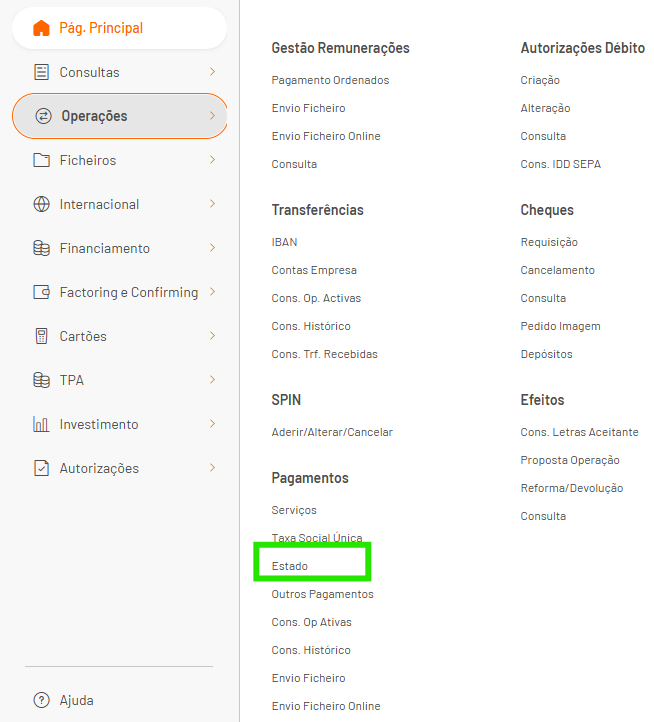
These payments are either sent to the Tax Authority (usually listed as “State” or “Estado”) or Social Security (which is only for the Social Security payment). Read below for step-by-step instructions.
How to Make a Tax Payment Using Your Online Banking:
Use this feature when you’re paying VAT/IVA, IRS, IRC, Withholding Tax, etc.
Again, remember that each bank will have slightly different menus and processes, but looking for the correct keywords will help. Your browser may or may not automatically translate the page, so I’ll give the options in English and Portuguese.
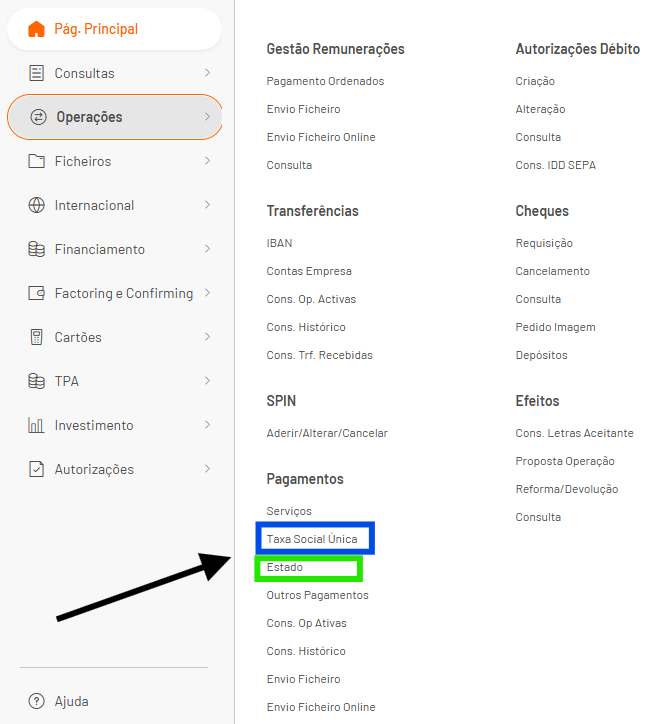
First navigate to the section that has the option to make payments. Usually this will be in a section labelled:
Payments / Pagamentos
Operations / Operaçoes
Etc
Then look for an option that says State or Estado. This is the option you want to choose.
In this option you’ll be able to enter a Reference Number and the Amount to pay. You may also be able to add a description.
Below is a screenshot of one banks screen which should have the same fields as your bank.
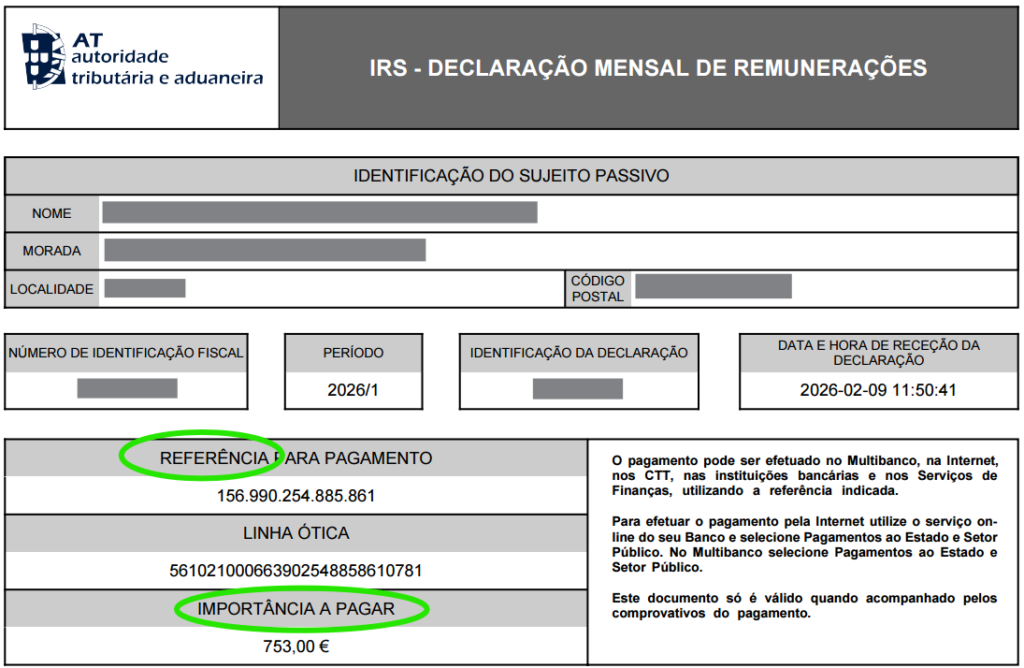
Below that is an example of an IRS bill that you might need to pay with the Reference Number and Amount sections identified. You’ll put the Reference Number in the Reference field, and the amount in the Amount field.
I used an IRS payment as an example, but VAT/IVA, IRC, and Withholding tax payments will all have the same fields and follow the same process.
Hot to Make a Social Security Payment Through Your Online Banking
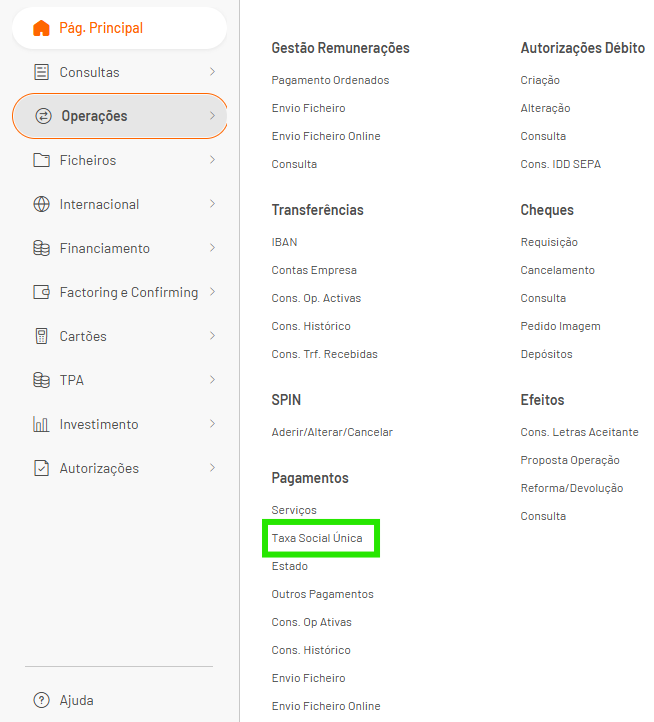
Navigate to the section that is made for Social Security payments. Similar to Tax Payments you’ll need to search for an option that says something like:
Taxa Social Unica
Social
Single Social
Segurança Social
…basically look around for the word “Social”
When you find this option, click it.
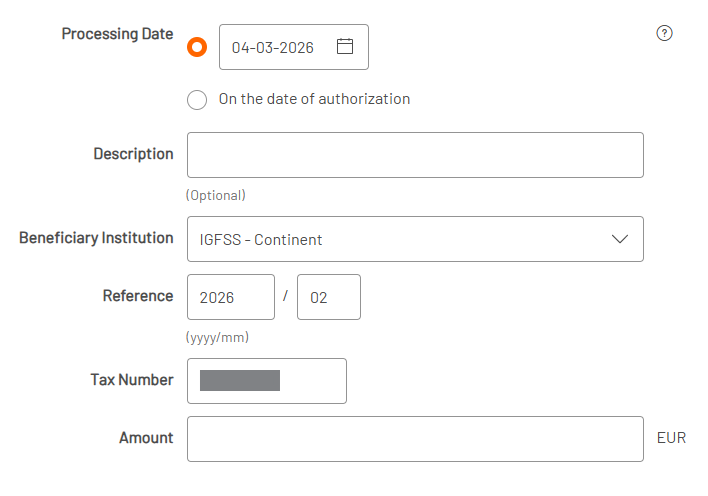
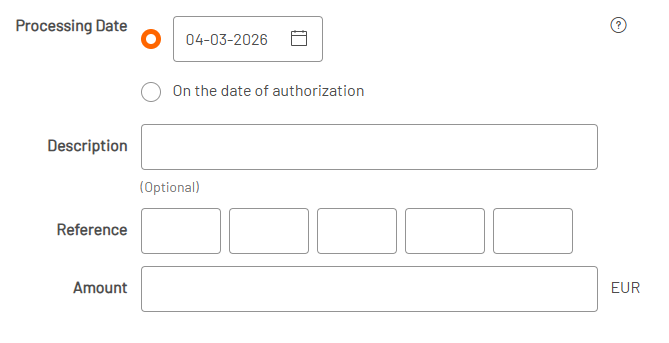
You should see a screen similar to the one below:
You may have a description line that you can fill in for your own notes, but most likely you’ll only need to fill in the amount. I’ll still describe each field in case your situation is different:
Description: This is a note for yourself. You might add a note like “February SS”
Beneficiary Institution: This may have a different name, but you’re selecting if your business is in mainland Portugal (the Continent) or on one of the Portuguese islands such as the Azores. In most cases you’ll be “Continent”
Reference: This is asking what month the payment is referring to. Most banks will pre-fill this to the current month’s payment. If you’re paying this on time then this is probably already entered. If not, then you may need to change the date to reflect the period that you’re paying for.
Note that you are normally paying the bill for the previous month, so in March you’re paying February’s bill and would enter “02”for the month.
Tax Number: This is your business’s Fiscal ID. Since it’s a business bank account, most banks pre-fill this number for you.
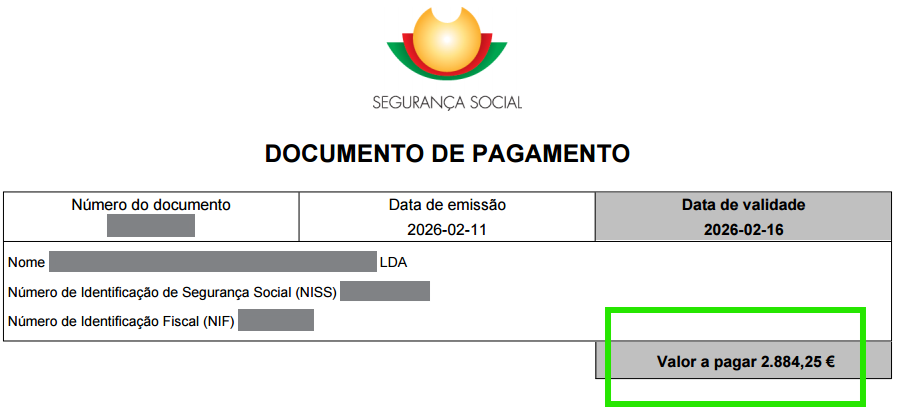
Amount: This is where you’ll enter the amount shown on your Social Security statement (“Valor a Pagar” is the “Amount to Pay”)